Talk at the push of a button
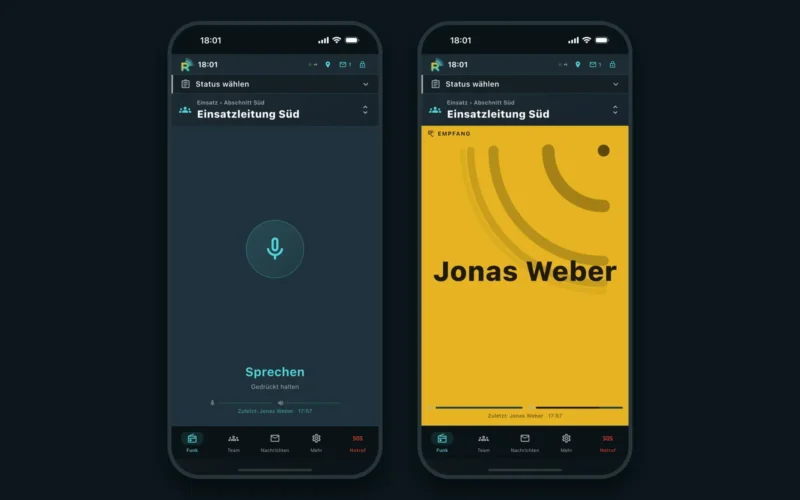
One large talk button, the active group in view, and the speaker's name on the display while receiving. Bluetooth push-to-talk keys and the PTT key of rugged handhelds work the same way.
Talk, message, alert. In one app.
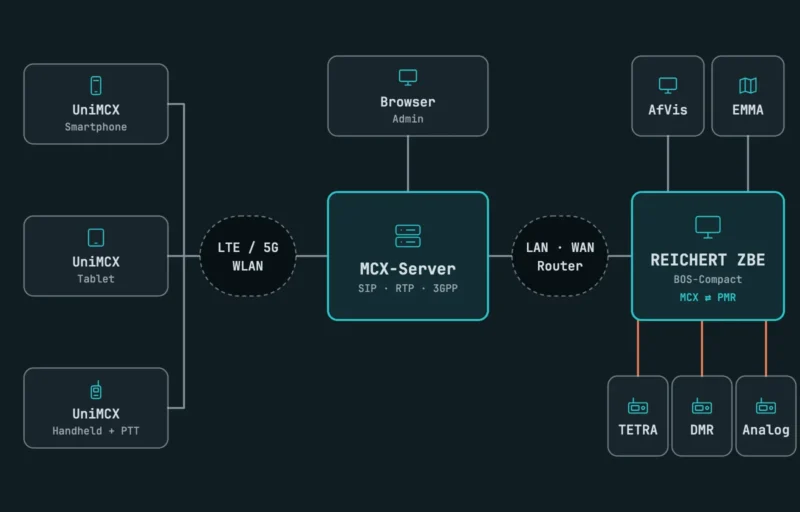
UniMCX turns smartphones, tablets and rugged handhelds into MCX participants: voice, messages, alerts and location in one app. This lets you bring responders without a radio into the groups, on Android and iOS.
More on the topic page: MCX – mission-critical over broadband
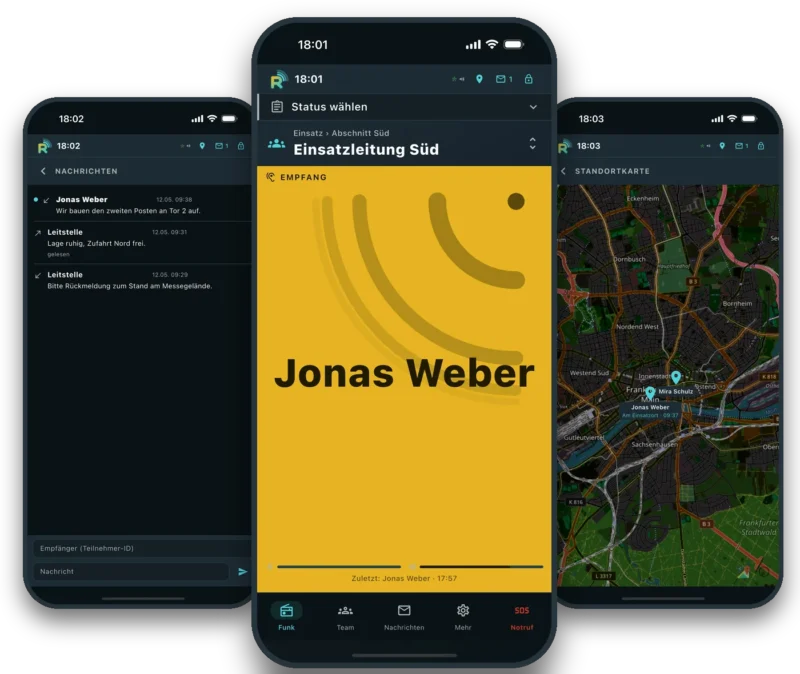
One large talk button, the active group in view, and the speaker's name on the display while receiving. Bluetooth push-to-talk keys and the PTT key of rugged handhelds work the same way.
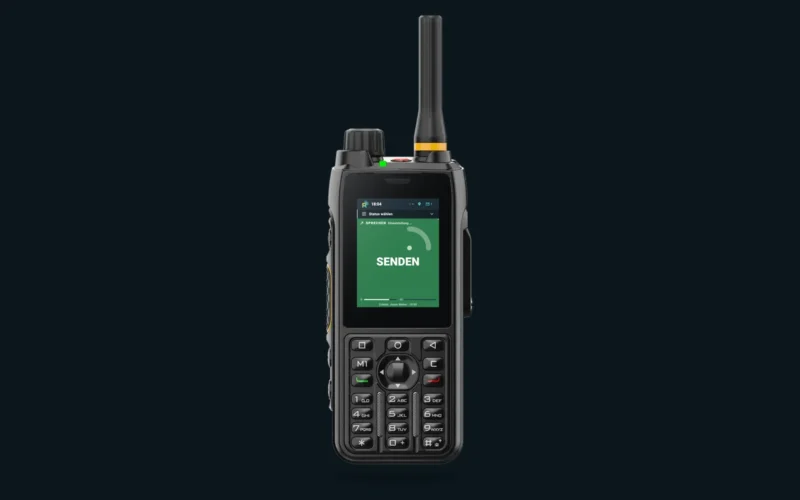
On small displays UniMCX shows its own compact view: group, speaker and level at a glance. Talk with the PTT key on the device, operate with the device keys. Shown with fictional demo data.
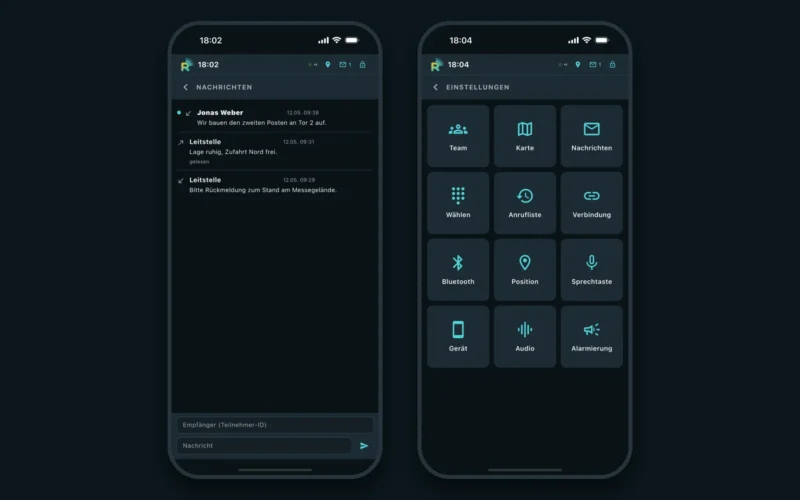
Short messages with delivery indication and status messages from the system's status catalogue run in the same app as voice.
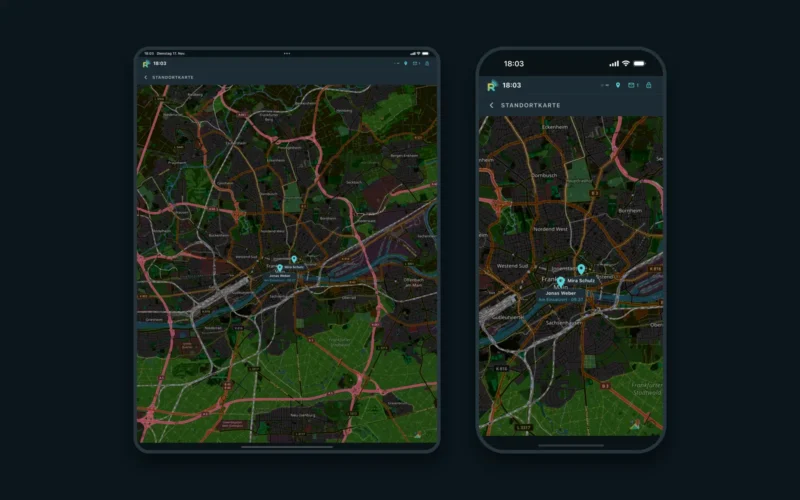
The map shows the received locations of group members on smartphone and tablet. Shown with fictional demo data. Map data: © OpenStreetMap contributors.
Screen, device key or Bluetooth
With delivery indication
Own colour, tone and vibration
Locations of the group
With location to the control room
Scan and go
The administrator creates a QR code on the MCX server, the app scans it and sets itself up. Alternatively you sign in with your credentials. On Android devices the app points out new versions and installs them from your own MCX server.
For each alert level you set colour, tone, volume and vibration. The alert repeats until it is answered and can be tested without a network.
The screen lock prevents accidental input while the talk key stays active. Connection loss and incoming phone calls appear as a full-screen notice. Small displays get their own compact layout.
You need access to an MCX server to use the app. UniMCX does not replace an emergency number (112) and is not designed for use without sufficient mobile or Wi-Fi coverage. The app interface is in German.
A smartphone or tablet with Android 9 or later or iOS, a mobile or Wi-Fi connection and access to an MCX server.
Android devices download UniMCX directly from the MCX server and receive updates there as well. iPhone and iPad get the app through Apple. On request we deliver devices ready to use; enrolment works with a QR code.
No. An emergency call in UniMCX goes to your control room. UniMCX does not replace an emergency number.
UniMCX supports Bluetooth push-to-talk keys and PTT accessories. We are happy to work out with you which model suits your operation.
Mission-critical communication with the MCX server, the UniMCX app and the connection to your ZBE – all from REICHERT.
Products:REICHERT MCX Server
We advise you in person, tailor the solution to your operating environment and show you the product in live operation.