Systems
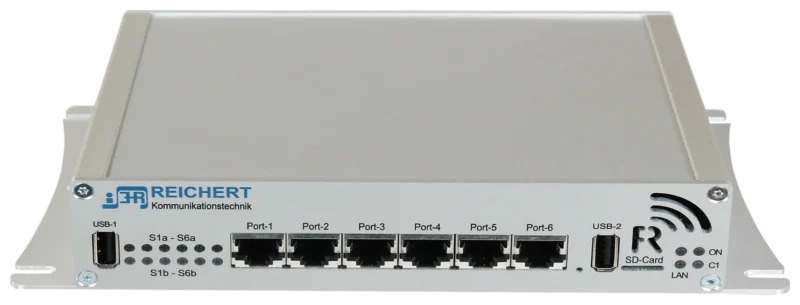
REICHERT ZBE
Central operating unit for radio, telephony, emergency
Mission-critical talk. Over your broadband network.
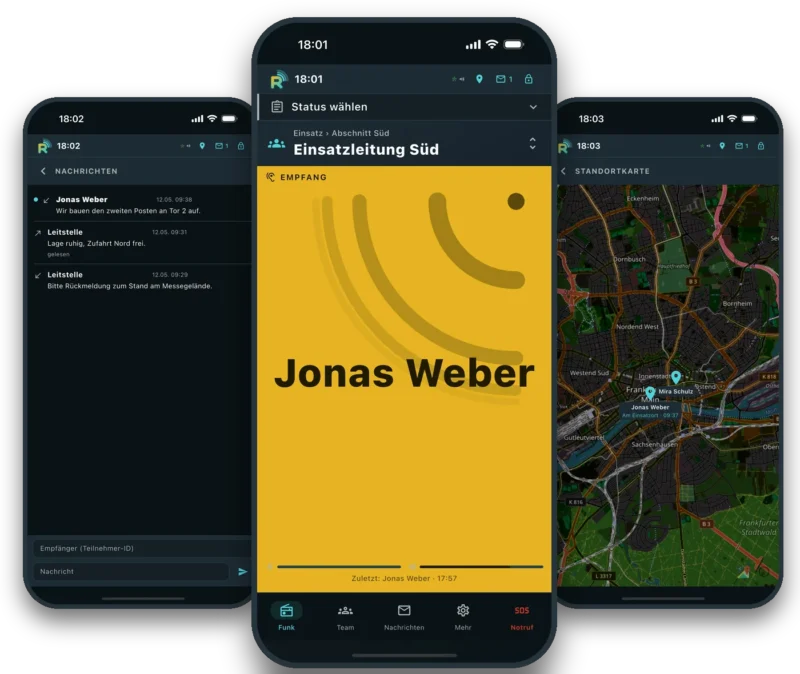
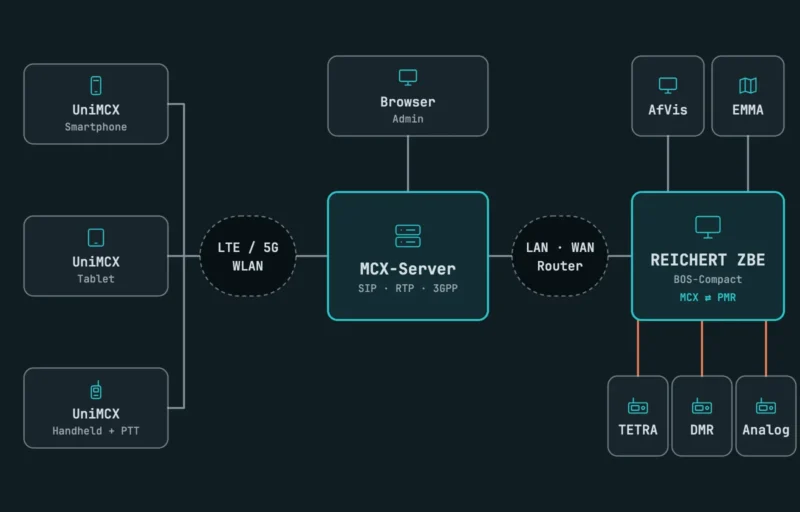
The REICHERT MCX server brings Mission Critical Services according to 3GPP in-house: group calls with floor control, emergency calls, short messages, status and location over LTE, 5G or Wi-Fi. You run it yourself, with no cloud requirement. At the dispatcher workstation you create MCX radio lines and choose per line which groups it serves, next to analogue radio and TETRA; the operation stays the same.
With floor control and priority
Ahead of running group calls
MCX lines with freely chosen groups
According to 3GPP TS 33.180, on by default
Groups, participants, permissions
In-house, no cloud requirement
Group calls with floor control, priority queue and speaker display. Participants can belong to several groups at once. Add individual calls, emergency calls with priority and priority talk: above a configurable threshold a higher-priority speaker pre-empts the current one.
Short messages to individuals and groups with delivery indication. Status is a two-byte value, so the German fire service status values fit too. The group's status catalogue becomes the status vocabulary of the radio line at the workstation, location reports appear on the map, and the workstation can query a location.
Groups, folders, participants, permissions and the status catalogue are maintained in a web interface. New devices set themselves up with a QR code: it is valid for 15 minutes and can be redeemed once, and permanent access can be revoked at any time. The Android app is stored on the server, and devices get their updates from there.
Delivered as a Debian package for amd64 and arm64 with a systemd service. Media and floor control are encrypted according to 3GPP TS 33.180 (SRTP, SRTCP, MIKEY-SAKKE), on by default with no silent downgrade. Signalling and provisioning can be split across separate processes or hosts, optionally with a shared PostgreSQL database.
MCX uses existing or private broadband networks. Guaranteed priority in the network requires a mission-critical subscription from the network operator. On your own Wi-Fi or campus network you set the quality yourself.
No. MCX runs alongside TETRA, Dimetra and analogue radio; at the workstation all appear as equal radio lines. Where needed, the REICHERT ZBE bridges MCX to your business radio, whether private TETRA, DMR or analogue: a handheld with UniMCX then talks directly to conventional radios.
No. The MCX server runs as a Debian package on your own Linux server.
LTE, 5G or Wi-Fi with a connection to the MCX server. Guaranteed priority in the network requires a mission-critical subscription from the operator.
Listening in is only possible for authorised control room workstations and is released through the operator's permission concept. Start and end are written to the session journal.
Mission-critical communication with the MCX server, the UniMCX app and the connection to your ZBE – all from REICHERT.
Products:UniMCX
We advise you in person, tailor the solution to your operating environment and show you the product in live operation.