PMR Expo 2026 · 24–26 November 2026 · Hall 8 · Stand D030 / E031PMR Expo 2026 · Hall 8 · Stand D030 / E031 Learn more

Search the website

Popular searches

Tip: press / or Ctrl+K to open the search on any page.

← All example configurations

Example configuration

Example car

No radio workstation of its own, only our navigation solution: the UniKey-Navigator Connect brings the radio’s status, messages and navigation to the display that is already in the vehicle. You talk as usual on the radio’s own handset. Point at or click a component in the diagram to get to know it.

  • 1 radio
  • vehicle navigation via Apple CarPlay or Android Auto
  • no workstation conversion
Request a configuration
Diagram
12345

Point at or tap a component or its number to see more.

  • Radio connection cable
  • Antenna cable
  • Handset

Components

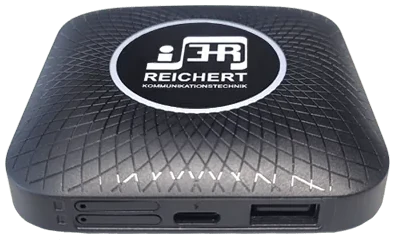
  1. UniKey-Navigator Connect

    The small box connects the radio to the infotainment system via USB. No additional equipment or elaborate vehicle conversion is necessary.

    UniKey-Navigator ConnectView product
  2. Existing vehicle navigation

    The infotainment display stays as it is. The UniKey app appears on it via Apple CarPlay, alternatively Android Auto, and shows status, messages and navigation; SDS destinations go straight into the navigation.

  3. Radio (TETRA MRT)

    The radio installed in the vehicle, here in the boot, is connected directly to the box via a matching radio connection cable.
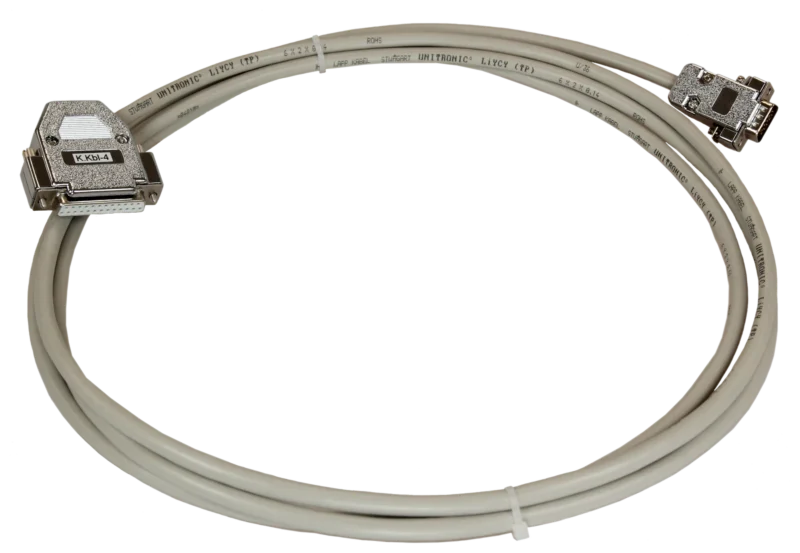
    Radio connection cablesView product
  4. Handset of the radio

    The handset belongs to the radio and stays as it is: you talk on it, no audio passes the Connect.

  5. Antenna

    Radio antenna on the roof, connected to the radio in the boot by a coaxial cable.

System scope

  • Direct connection of a radio installed in the vehicle
  • Status, messages and navigation on the infotainment display
  • Talking on the radio’s own handset – no audio passes the Connect
  • Processing of incoming status messages and navigation coordinates
  • Optional extension with ZBE multi-operation for radio and telephony

Equipment

  • UniKey-Navigator Connect, connected via USB to the existing infotainment system (Apple CarPlay, alternatively Android Auto)
  • UniKey app with an individually configurable interface
  • 1 TETRA radio (MRT) in the boot
  • Handset of the radio (original accessory, stays as it is)
  • Radio antenna on the roof
Products used

As of 11/2026 · Example – every system is planned individually.

Your system, planned individually

Tell us which vehicles or buildings you want to equip. We put together the matching configuration with you.

Your inquiry list

Put together products and example configurations and send us the list with a message. We will get back to you with a quotation or an appointment for a consultation.

    Your contact details

    The list is only stored in your browser until you send it.