EMMA: alerting in seconds – straight from the tablet
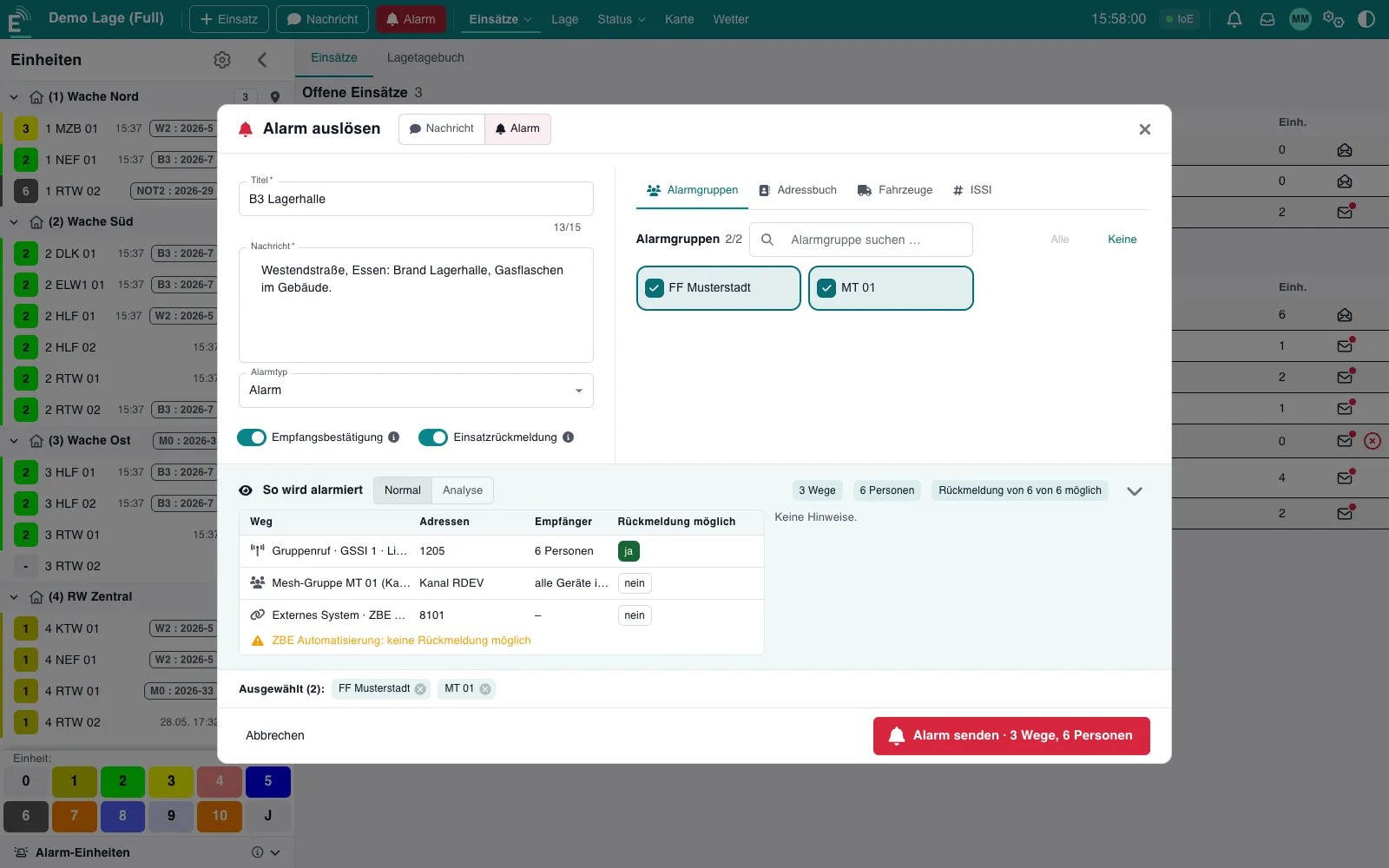
Choose recipients, enter a message, trigger the alert – with a single tap. EMMA shows in advance who will be alerted via which channel and collects the responses.
When every second counts, every step matters. With EMMA, our software for incident management and alerting, you alert straight from the tablet – at the station, in incident command or in the command vehicle.
Three steps to an alert
- Choose recipients: alert group, vehicle or address book entry.
- Enter a message: title, text and alert type.
- Trigger the alert – with a single tap, with delivery confirmation if required.
See how it will be alerted
Before the alert goes out, EMMA's “How it will be alerted” preview shows which channels and recipients will be used. So you know who will be alerted before you trigger it.
Responses included
If required, EMMA requests a delivery confirmation and an incident response: “coming”, “later” or “not coming”. The answers arrive directly in EMMA, so you can see at once who is on the way.
Built for touch, day and night
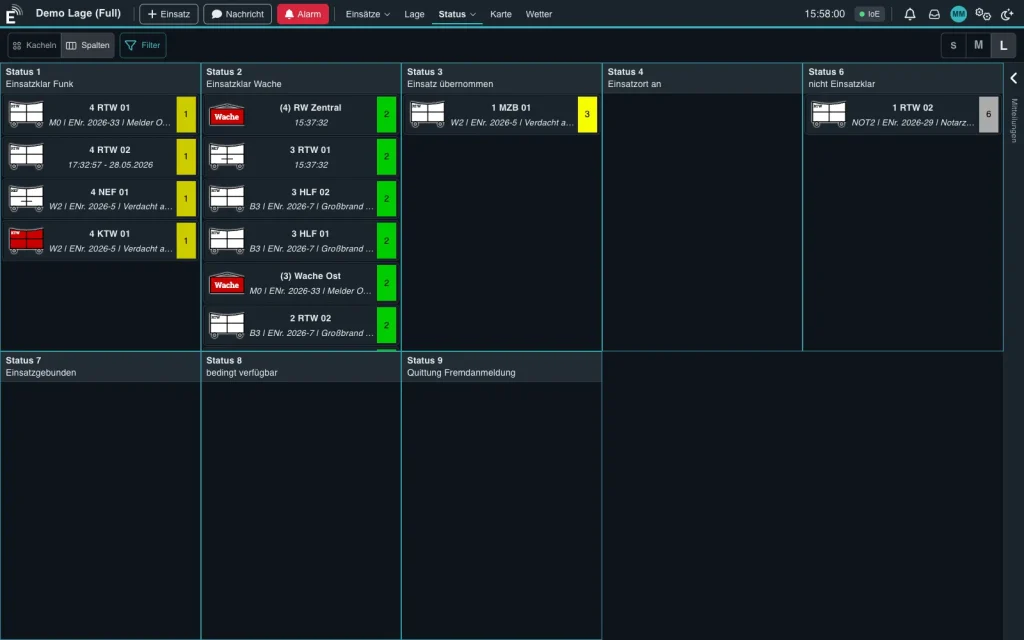
EMMA is designed for 10 to 13 inch tablets, landscape and portrait, with large controls. The light view for daytime and the dark view for night operations and vehicles can be switched per workstation. EMMA receives unit status live via TETRA and further radio channels.
Would you like to see EMMA in action? We are happy to show you – on site or at our trade fair stand. Get in touch.